MULTI-CAMERA LIVE STREAMING
A TV studio with the phones you already own.
LiveDirector is an app for iPad, iPhone, and Mac that mixes multiple cameras — the phones on your local network — and streams live to YouTube, Facebook, Twitch, or any RTMP.
If you can post an Instagram story, you can direct a live stream.
Each phone joins by scanning a code. You direct from your iPad, iPhone, or Mac.
Free to start · no account, no card
UP TO 9 CAMERAS · 1080P · READY IN 2 MINUTES
THE SAME CONSOLE ON EVERY SCREEN
Full Studio on iPhone, iPad, and Mac
There's no central unit to buy and no stripped-down version. The same compositions, layers, and the same TAKE, adapted to the size of the screen you're directing from.
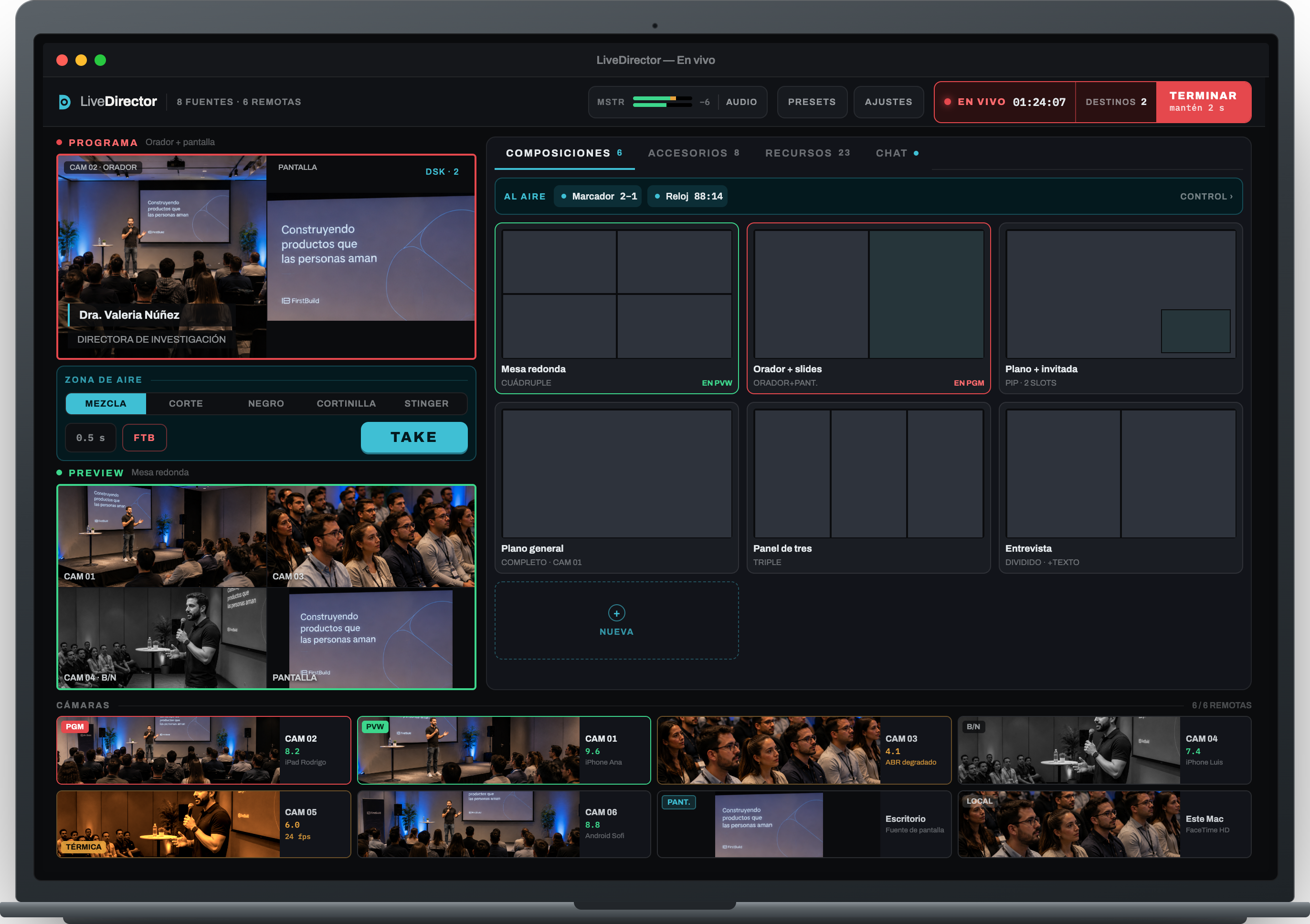
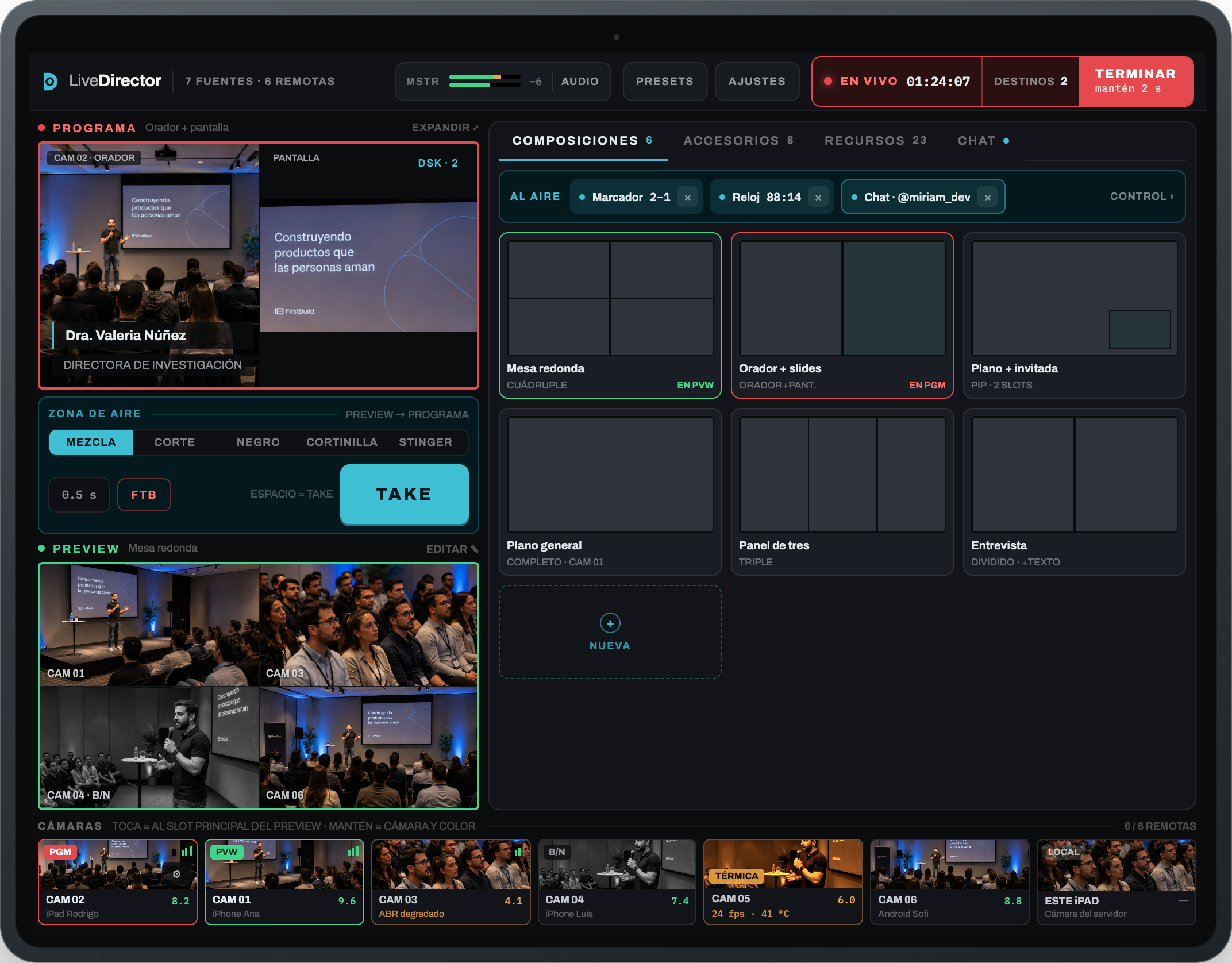
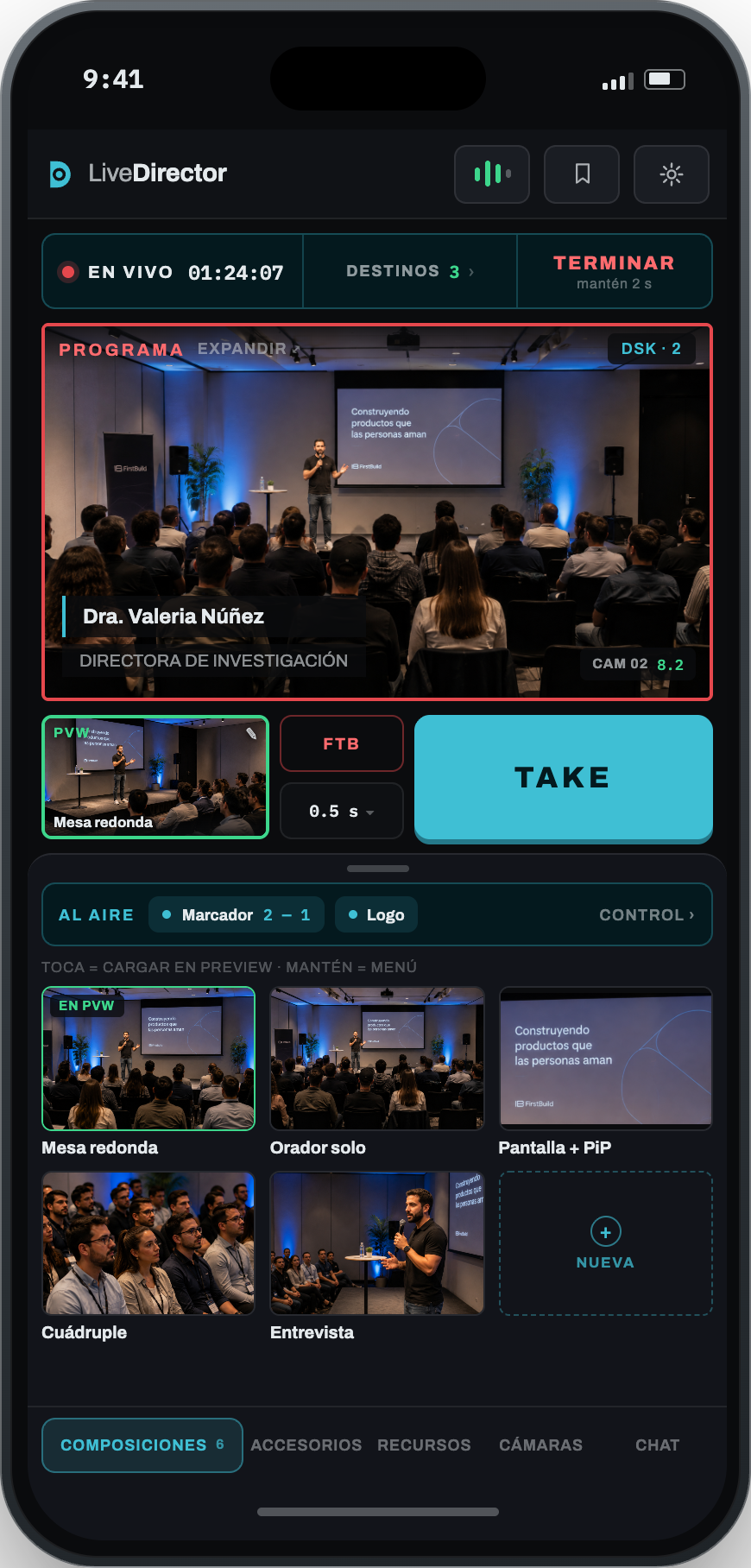
The console on iPad, the studio on Mac, and Camera — free on iOS and Android — on iPhone
STUDIO · IN YOUR POCKET
iPhone
STUDIO · IN YOUR HANDS
iPad
STUDIO · ON YOUR DESK
Mac
WHAT IT DOES
Everything a live production needs, and nothing else
Six composition layouts
Full, split, quad, triple, and more.
Layers that survive the TAKE
The lower third stays on air when you switch shots.
Audio with meters and a limiter
Meters, peak limiter, and per-camera lip sync.
Real adaptive bitrate
Each camera adjusts its quality to WiFi conditions.
Camera and color per source
Zoom, focus, balance, and color, remotely.
Streaming to multiple destinations
YouTube, Facebook, Twitch, or any RTMP.
WHAT YOU NEED
You probably already own the gear
LiveDirector doesn't ask you to buy hardware: it runs on the devices you and your team already use. Almost anything from 2018 onward can direct; phones from 2015 can be cameras.
Something to direct from
An iPad, an iPhone, or a Mac. iPad is best.
iPad or iPhone from 2018 or later · Mac from 2015 or later
Two phones or more
Yours and your helper's, even the old ones.
Any iPhone from the 6s, so 2015 · Android coming soon
A 5 GHz WiFi network
The router in the room probably has one.
Your own router for the event beats the venue's shared WiFi
PRICING
One free tier and two paid plans
30-day trial with everything unlocked on any paid plan. We email you two days before the first charge.
Free
To try the mixer. No account needed.
- Up to 4 remote cameras + the local one
- Full mixer, accessories, chat, and audio
- Local recording up to 20 minutes, with a watermark
No account, no card
LiveDirector
$327 USD billed annually
Save 30%
- Up to 6 remote cameras + the local one
- 2 RTMP destinations at once
- 3 devices · 1 live at once
Checkout is coming soon. In the meantime, here's what you'll be able to buy.
LiveDirector Pro
$495 USD billed annually
Save 30%
- Up to 8 remote cameras + the local one
- 5 RTMP destinations at once
- 5 devices · 2 live at once
Voice intercom with your camera operators, push to talk · requirements
Checkout is coming soon. In the meantime, here's what you'll be able to buy.
Included in both paid plans
Local recording of the program, unlimited and watermark-free
Compositions, accessories, and DSK layers
Studio on your devices with the same account
Camera included free, no install limit
Updates and email support
Frequently asked questions
Do I need internet to direct?
To direct and record, no: cameras talk to the server over the local network. You only need internet access the moment you go live.
How many cameras can it really handle?
It depends on your plan: you'll see it in the pricing table on this same page. Either way, WiFi hits its limit before the device does. On a decent 5 GHz network, the multiview holds at 30 fps.
Do I pay for each phone I use as a camera?
No. Camera is free and you can install it on as many devices as you want. The subscription is for Studio, the app you direct from.
Can I stream to several destinations at once?
Yes. PRO reaches 2 destinations at once and PRO MAX reaches 5, all over RTMP, YouTube, Facebook, or Twitch. Each extra destination uses more upload bandwidth.
What happens if a camera overheats or loses signal?
It drops its bitrate and shows the reason right on its card. If it drops out, it reconnects on its own and the card stays flagged until it's back.
Can I cancel during the trial?
Yes, from your account at any point during the 30 days. You won't be charged anything if you cancel before it ends, and we email you two days before the charge.
What can I do without paying?
The whole mixer: remote cameras, compositions, layers, chat, audio, and local recording of the program. The free tier records up to 20 minutes per file with a visible watermark; the only thing a plan unlocks is streaming to a remote platform.
Where do I pay, and what receipt do I get?
You pay at livedirector.app, not inside the app. In Chile we issue an electronic receipt with tax included; outside Chile, a tax-exempt export invoice.
Make your next live show look professional, without buying new gear.
Pair up whatever phones you have on hand and try a TAKE right now, with no account and no card. When you're ready to stream to YouTube, Facebook, or Twitch, the plans are right there.
See plansStudio for iPhone, iPad, and Mac · Camera for iOS and Android.
30-day trial on any paid plan · cancel anytime